
Categories
Contact sales
Learn more about our solutions and services.
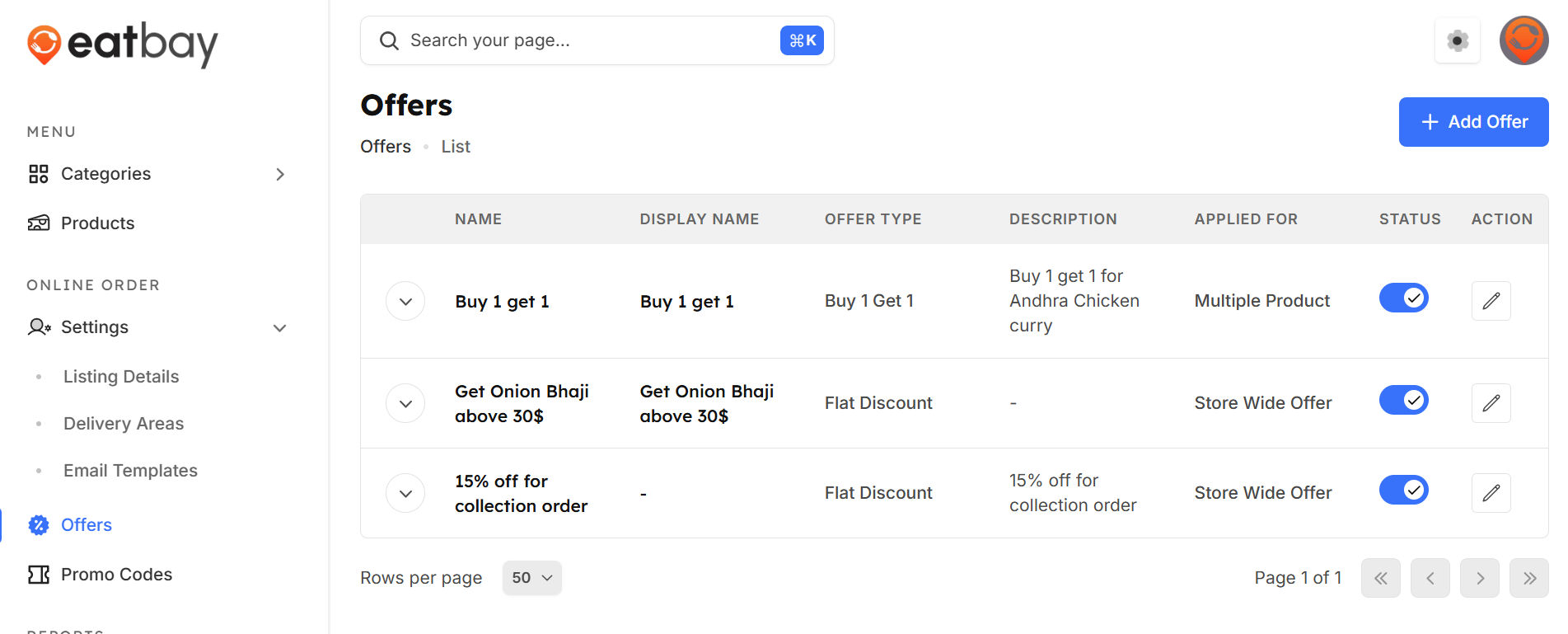
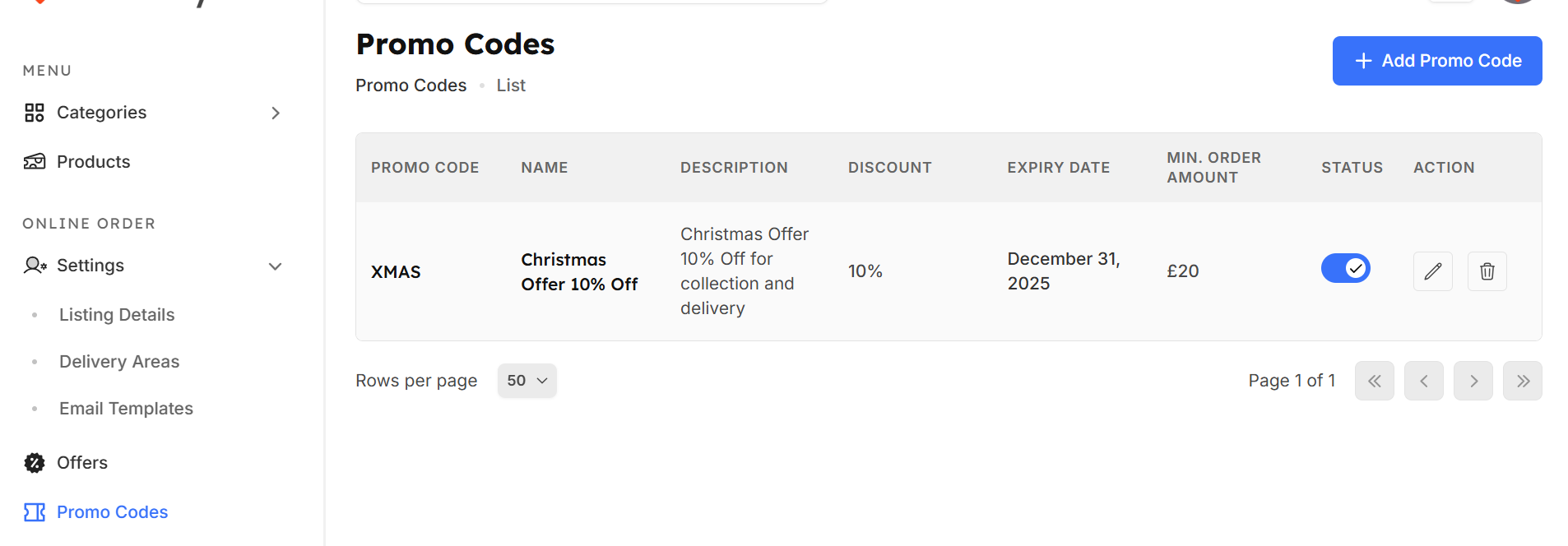
Offers and Promo codes
Q: What are Offers & Promo Codes in EatBay?
A: Offers and Promo Codes allow you to provide discounts and special deals to customers, helping increase orders and customer retention.
Q: Where can I manage Offers & Promo Codes in the dashboard?
A: Go to Dashboard → Offers to create and manage discounts.
Go to Dashboard → Promo Codes to create and manage Promo codes
Q: How do I create a new promo code?
A: Click Add New Promo Code, enter the code and name , discount value,expiry date, and describe its applicability , then click Create
Q: What types of discounts can I offer?
A: You can create percentage-based discounts, offer type only flat discount and buy 1 get 1
Q: Where will customers see the offers?
A: Active offers and promo codes are displayed on your restaurant page and applied during checkout.
Q: Can I edit or disable an active promo code?
A: Yes. You can edit details or disable a promo code at any time from the Offers & Promo Codes section individually