
Categories
Contact sales
Learn more about our solutions and services.
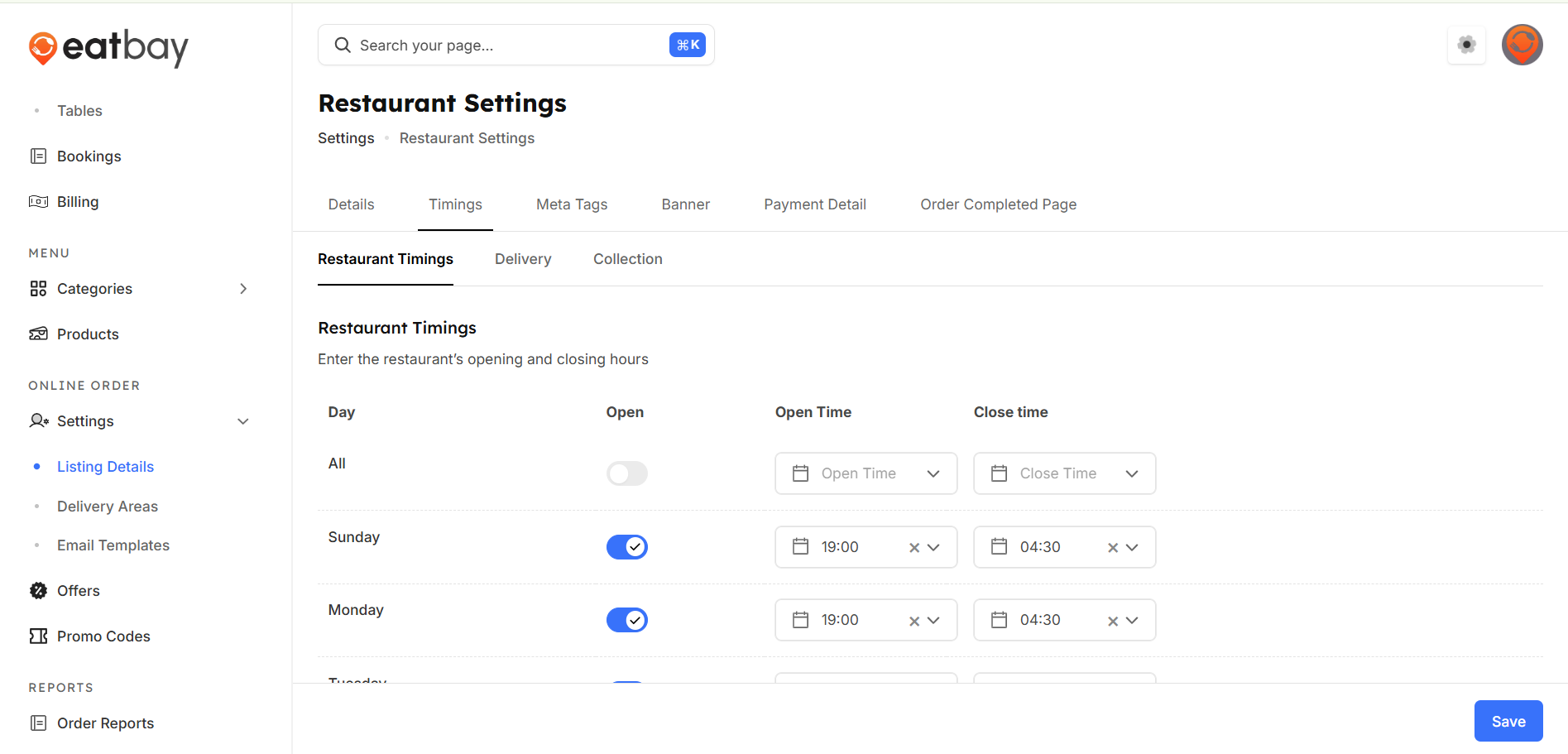
Set Timings
Q: What are Set Timings in EatBay?
A: Set Timings allow you to define your restaurant’s operating hours for accepting orders, including opening and closing times.
Q: How do I set restaurant timings?
A:Dashboard → online order Settings → listing detail→ timing.
Q: Can I set different timings for different days?
A: Yes. You can configure different operating hours for each day of the week.
Q: How do set timings affect customer orders?
A: Customers can place orders only during the configured operating hours. Orders outside these timings will be restricted.
Q: Can I temporarily close my restaurant?
A: Yes. You can mark your restaurant as closed for specific days or time periods by disabling the day/change the particular time
Q: Do set timing changes apply immediately?
A: Yes. You must click Save / Publish for timing changes to take effect.
Q: Can I set separate timings for delivery and collection?
A: Yes. You can configure different timings for delivery and collection based on your restaurant’s operations.