
Categories
Contact sales
Learn more about our solutions and services.
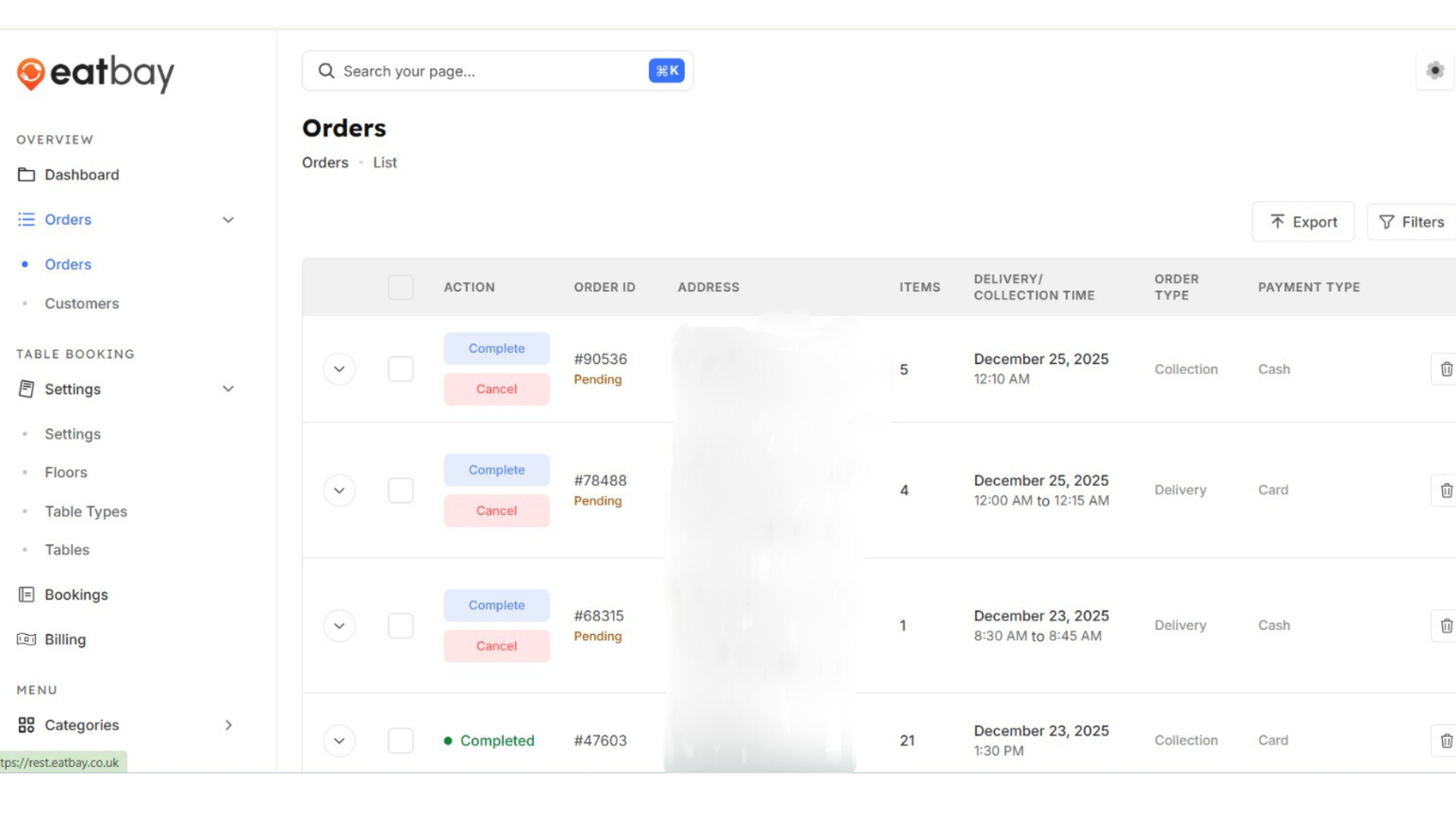
View Orders
Q: What is the View Orders section in EatBay?
A: The View Orders section displays all customer orders placed with your restaurant, including order details, status, payment information, and timestamps.
Q: Where can I find View Orders in the dashboard?
A: Go to Dashboard → Orders to access all current and past orders.
Q: Can I track the status of an order?
A: Yes. Each order shows its current status such as Pending, Accepted, Preparing, Completed, or Cancelled.
Q: Can I view past or completed orders?
A: Yes. View Orders includes both active and completed orders, and you can filter them by date or status.
Q: Can I update the status of an order?
A: Yes. You can update the order status directly from the View Orders section based on your order workflow.
Q: Are cancelled orders visible in View Orders?
A: Yes. Cancelled orders remain visible for record-keeping and reporting purposes.
Q: Is View Orders updated in real time?
A: Yes. Orders are updated in real time as customers place or modify their orders.